← All work
SearchStax · Site Search
Lead Product Designer
0 → 1 feature
Giving search teams control of their own data.
Site Search kept customers' indexes fresh only through a manual, engineer-dependent process. I led the design of a self-service web crawler that let non-technical marketers schedule, monitor, and manage their own crawls, turning a support ticket into a three-click task.
RoleLead Product Designer
Team3 · Design + PM + Eng
ToolsFigma · Axure · Lucidchart · Jira
ScopeResearch → shipped MVP
SUS 82
system usability scale
95%
task completion, unassisted
−80%
setup errors vs. baseline
8.7/10
user satisfaction
01 / Context
A powerful platform with a manual bottleneck
SearchStax Site Search gives businesses enterprise-grade search on top of Solr. The engine was strong, but keeping a search index accurate depended on getting fresh data into it, and that was the weak link.
Every customer who wanted their site content indexed had to route the request through the Solutions Team, who configured a crawler by hand. Customers had no visibility into what was fetched, parsed, or uploaded, no way to reschedule, and no self-serve path to fix a bad crawl. The result: stale results, slow turnaround, and a support queue that scaled with every new client.

02 / The problem
Choosing the bet
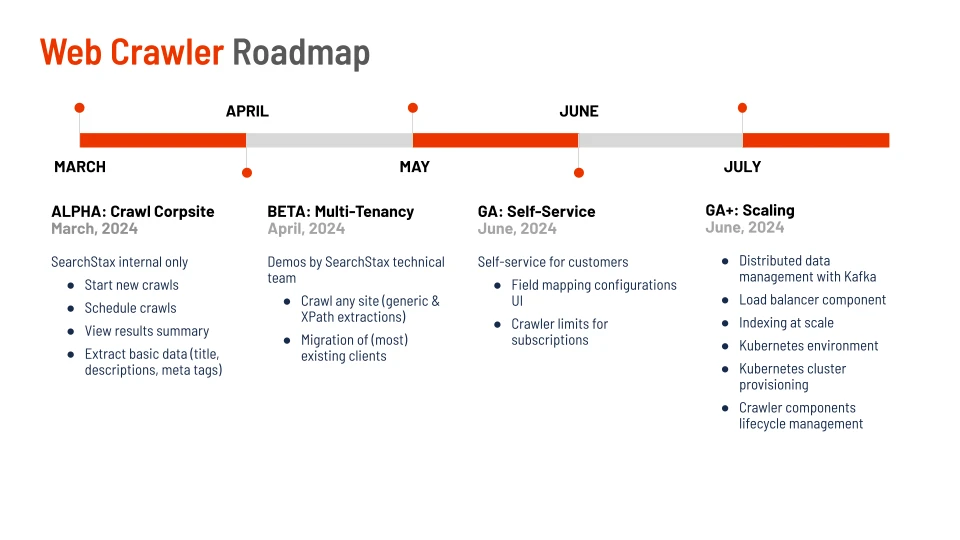
Discovery began with a menu, not an answer. Weekly sessions surfaced five candidate features, free trials, no-results recommendations, a light theme, enhanced AI, and a web crawler. I pushed for the crawler because it attacked the deepest structural constraint: nothing else mattered if the data going into search was already out of date.
I framed the problem as a single testable statement to keep the team honest:
"Site Search users need a reliable way to automate data ingestion, so their results stay accurate without engineering help."
03 / Research
Who actually manages a crawl
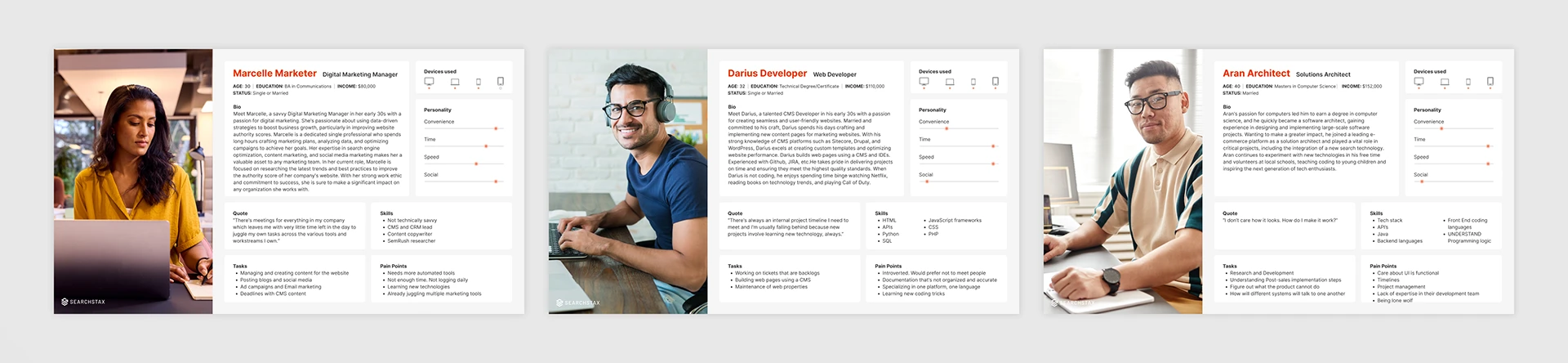
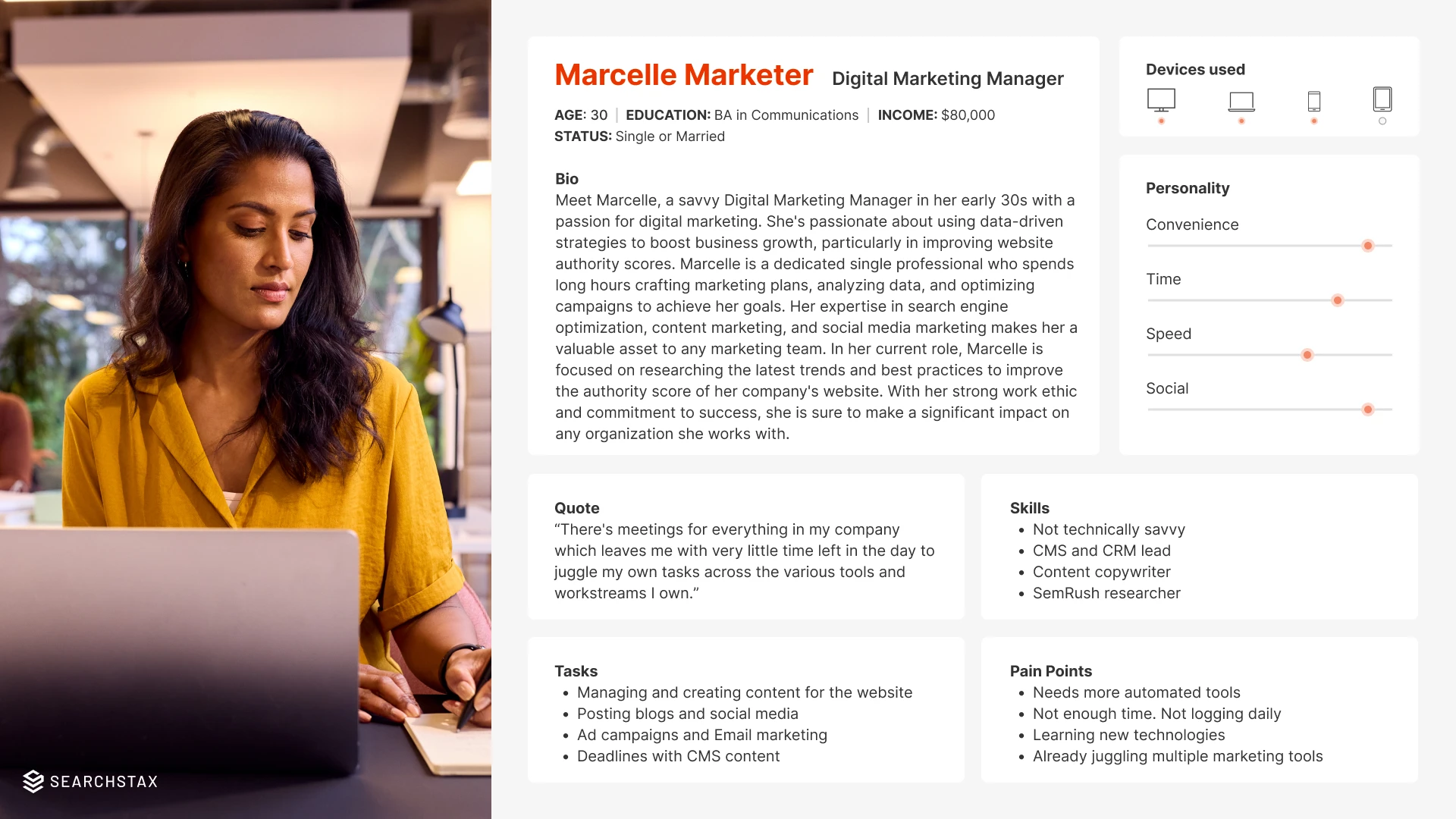
I interviewed customers across three roles and mapped how each related to search data. The takeaway: the person who most needed to run a crawl, the marketer, was the one least equipped to do it in the old model.
The Marketer
Digital Marketing
Owns search effectiveness and promotions. Cares about fresh, relevant results, but doesn't write code or file infra tickets.
The Web Developer
CMS / Front-end
Handles the initial integration, CSS, and APIs. Involved in maintenance, but shouldn't be the bottleneck for routine data updates.
The Solutions Architect
Implementation
Architects the search solution and initial ingestion to prove value to clients. Wants to hand off control, not own it forever.
Interviews converged on four concrete needs, in the users' own words:
"I need an easy service to crawl my sites."
- Marketer
"This data should upload to Site Search automatically."
- Marketer
"I need to map metadata, H1s, images, URL paths, descriptions."
- Developer
"Let me control what's included or excluded from the index."
- Solutions Architect
04 / The shift
From opaque hand-off to transparent self-service
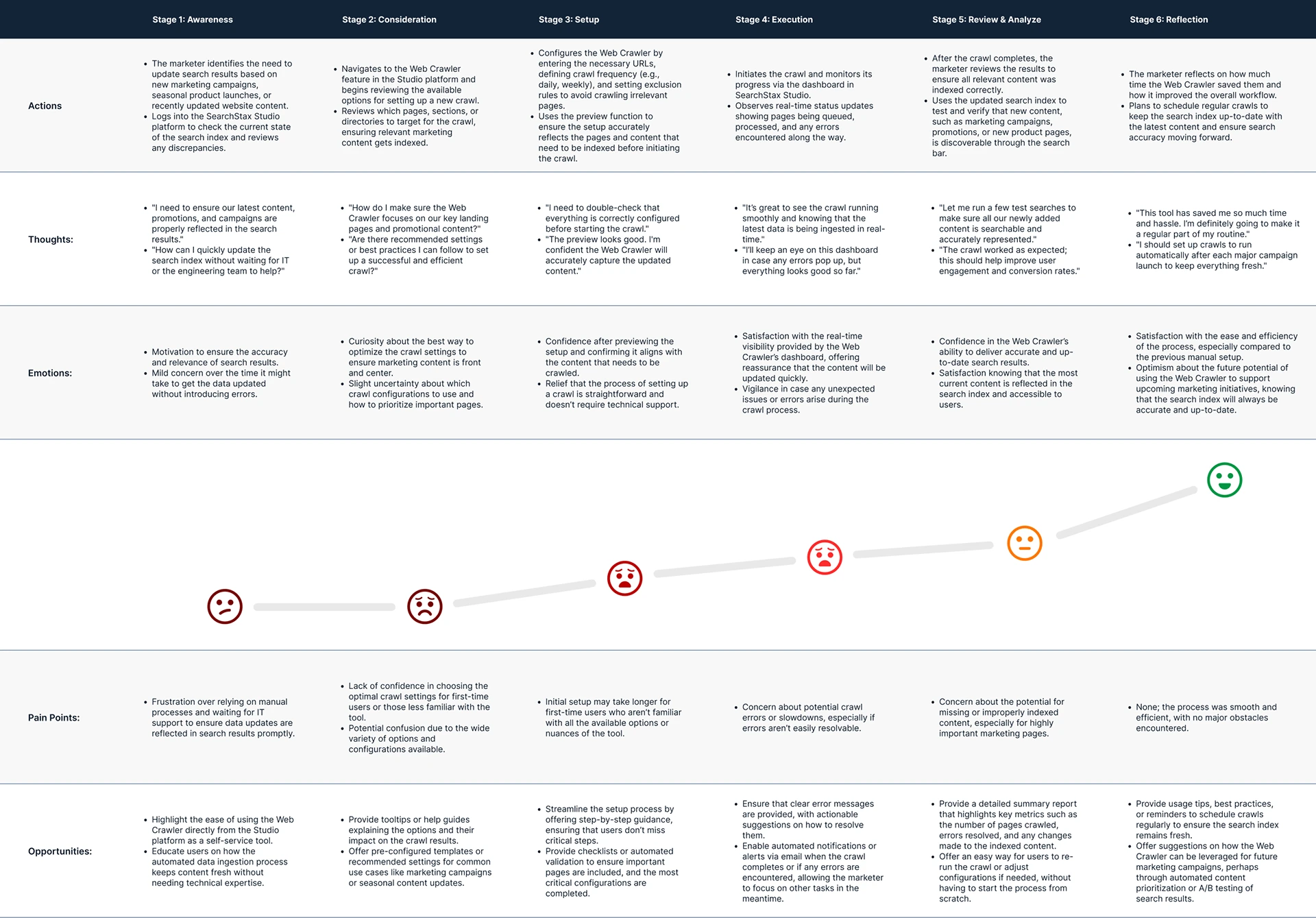
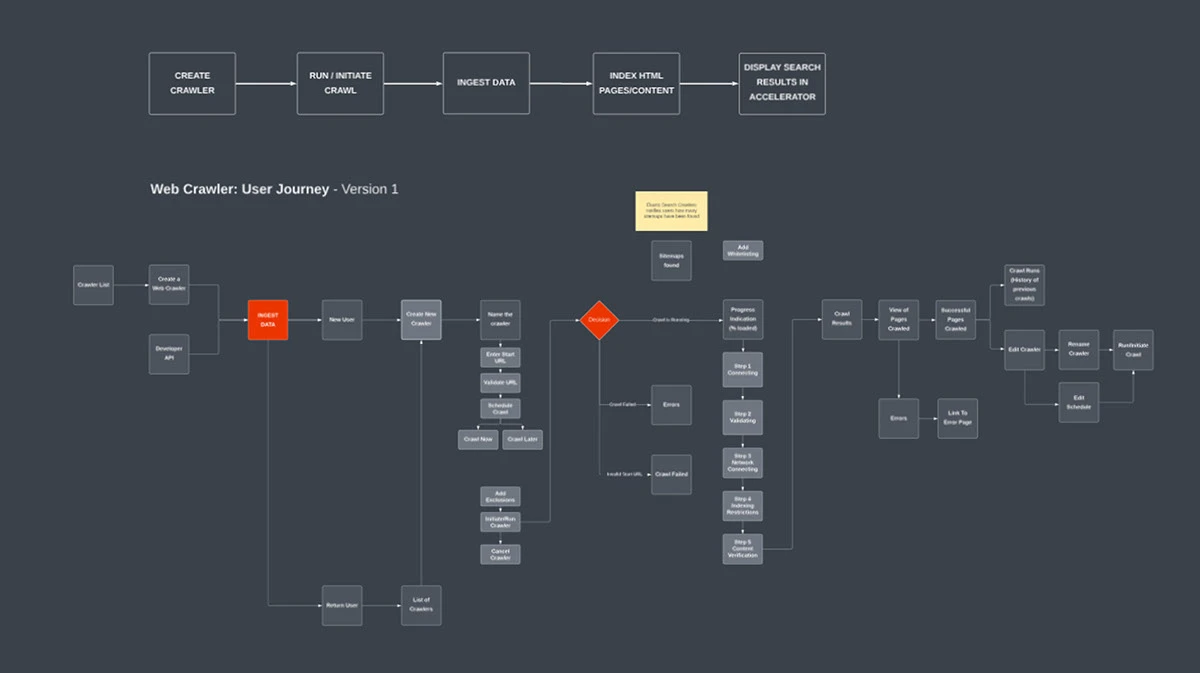
The old journey was defined by waiting. A customer asked the Solutions Team to set up a crawl, then sat blind, no status, no page-level detail, no way to adjust a schedule without another request. Every change was a dependency.
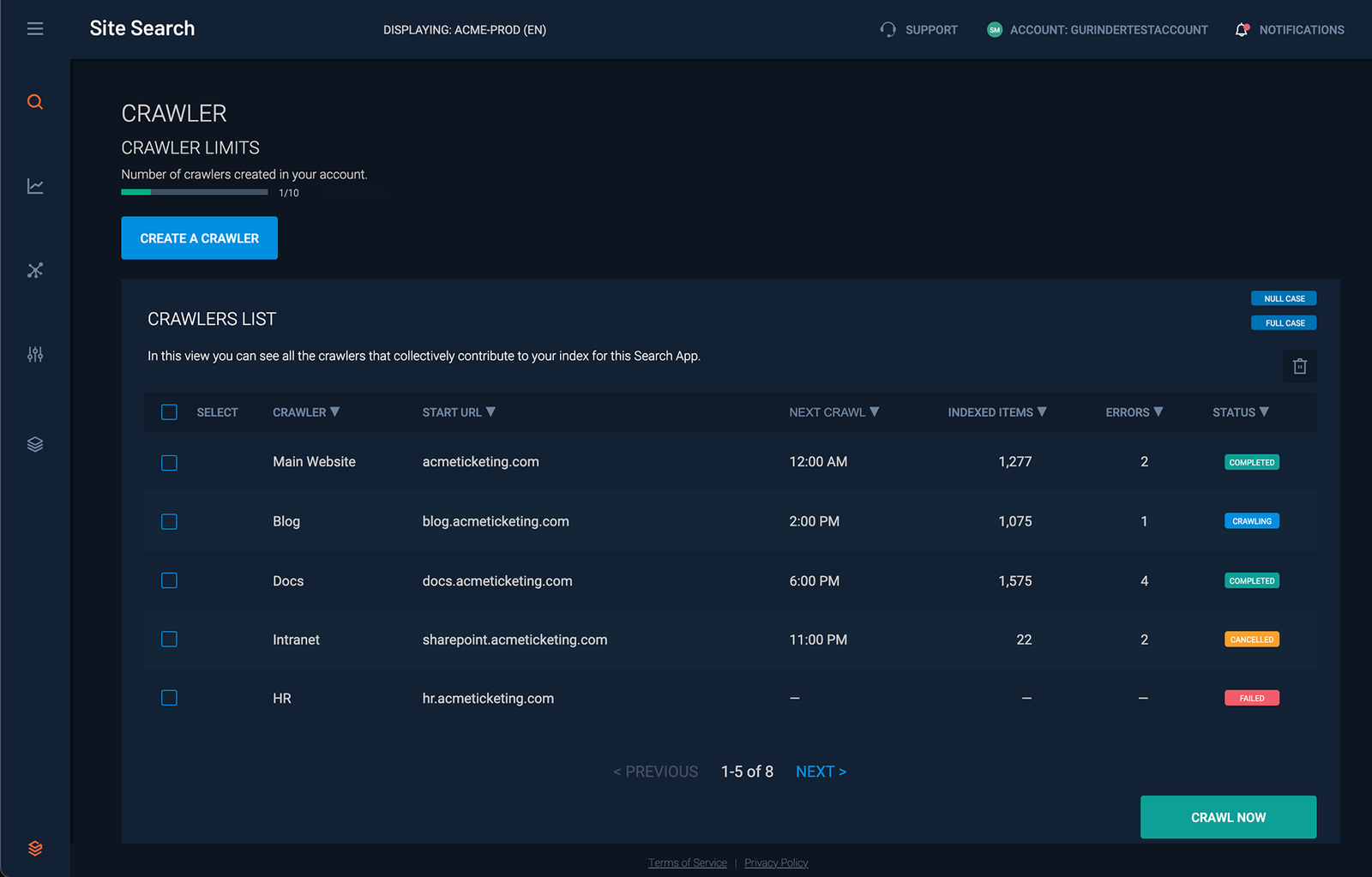
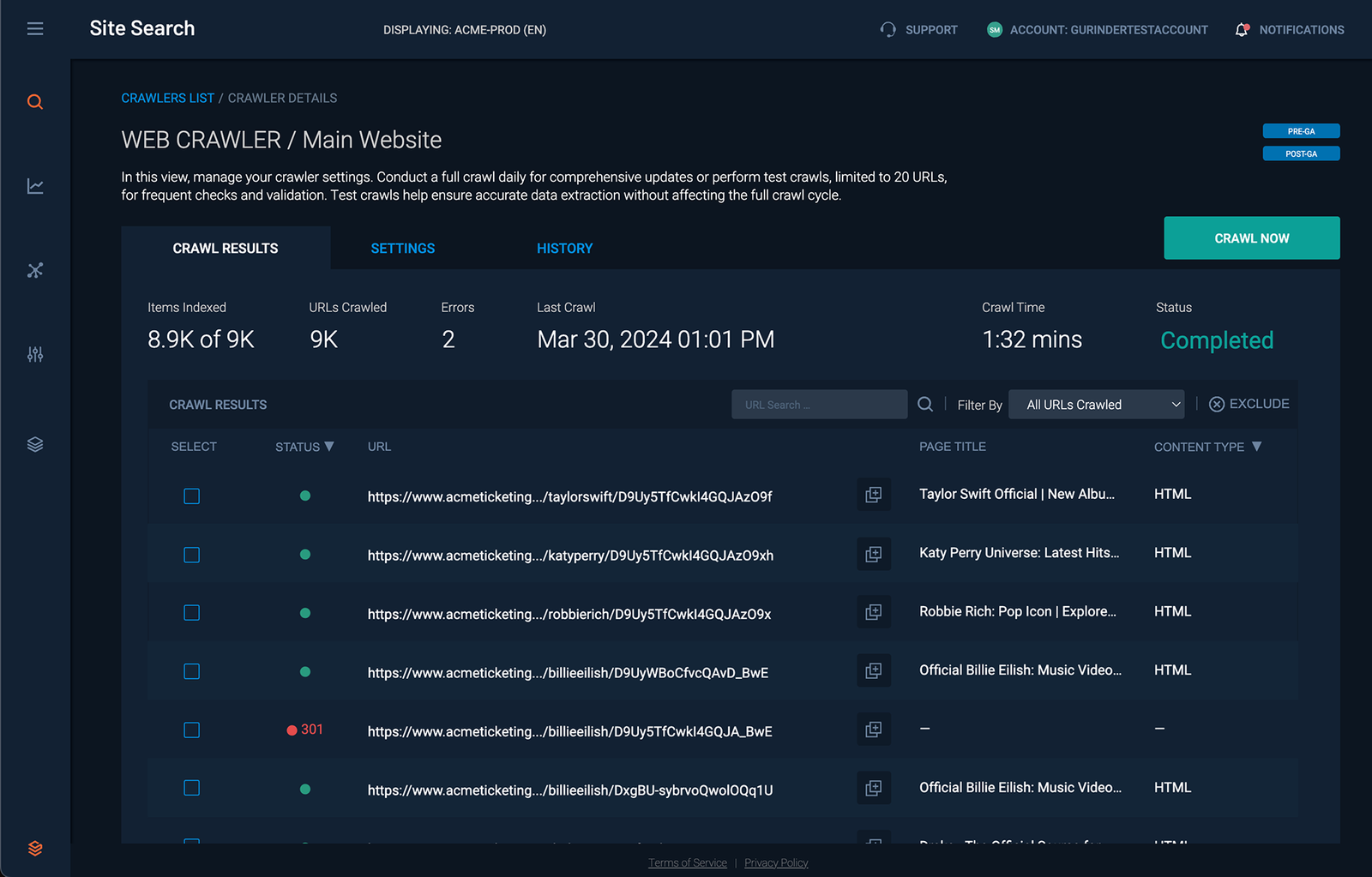
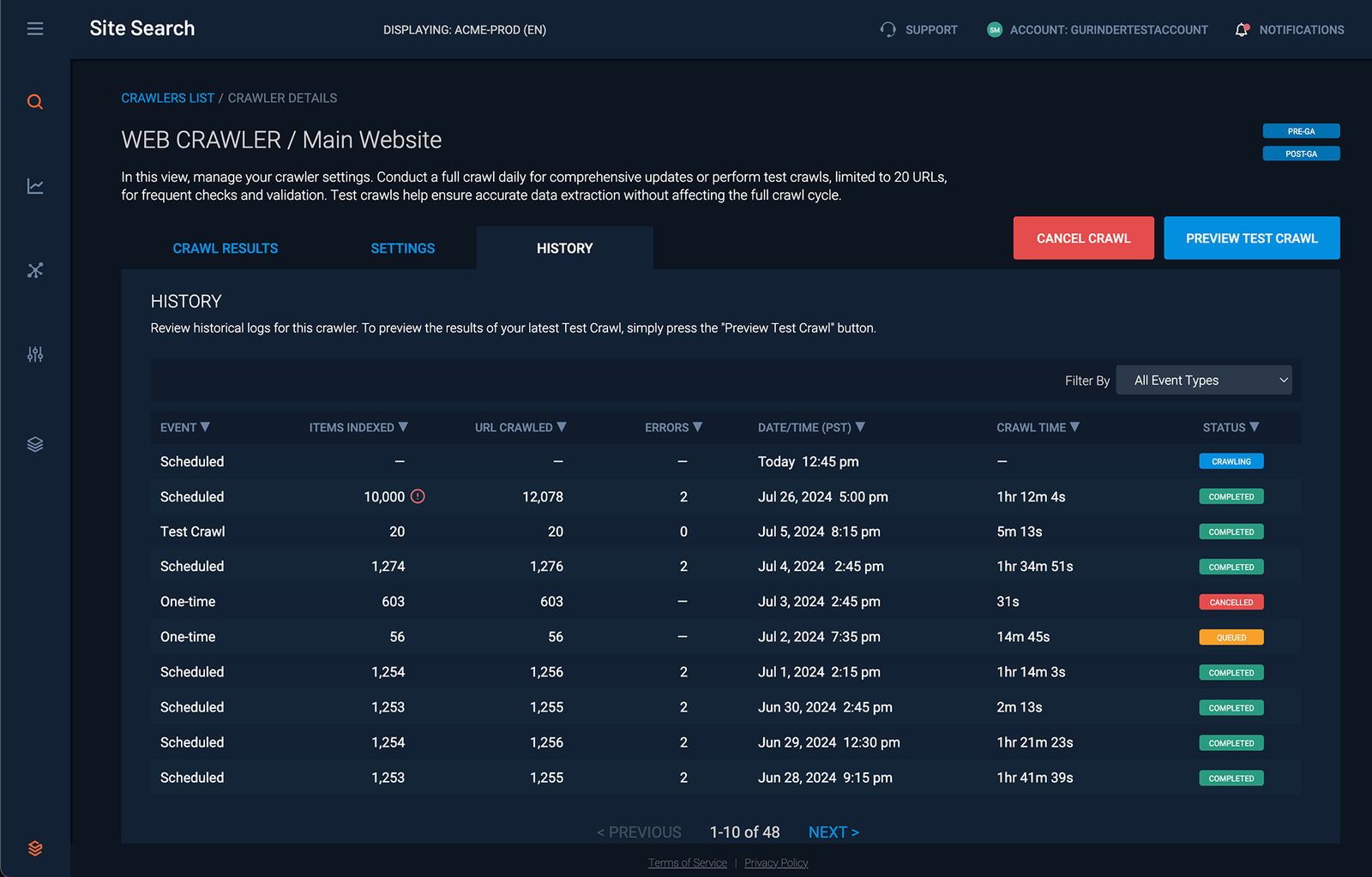
The redesigned journey put the customer in the driver's seat: configure a crawler in-app, set a schedule, launch, and watch pages move through queued → processed → indexed in real time. The single most important design decision wasn't a feature at all, it was making crawl status legible, because the thing users feared most was starting a process they couldn't see.
05 / Scoping the MVP
Enough to be useful, lean enough to ship
I worked with PM and engineering to cut the feature to a defensible core, everything a marketer needed to run a crawl safely, and nothing that would delay a first release.
- Setup & scheduling, configure URLs, directories, and rules; run crawls on a recurring schedule so data stays current without manual effort.
- Content sync, new and deleted pages are reflected in results automatically as they're detected.
- Monitoring & history, completion reports (crawl time, pages crawled, errors), a searchable crawl log, and alerts on finish or failure.
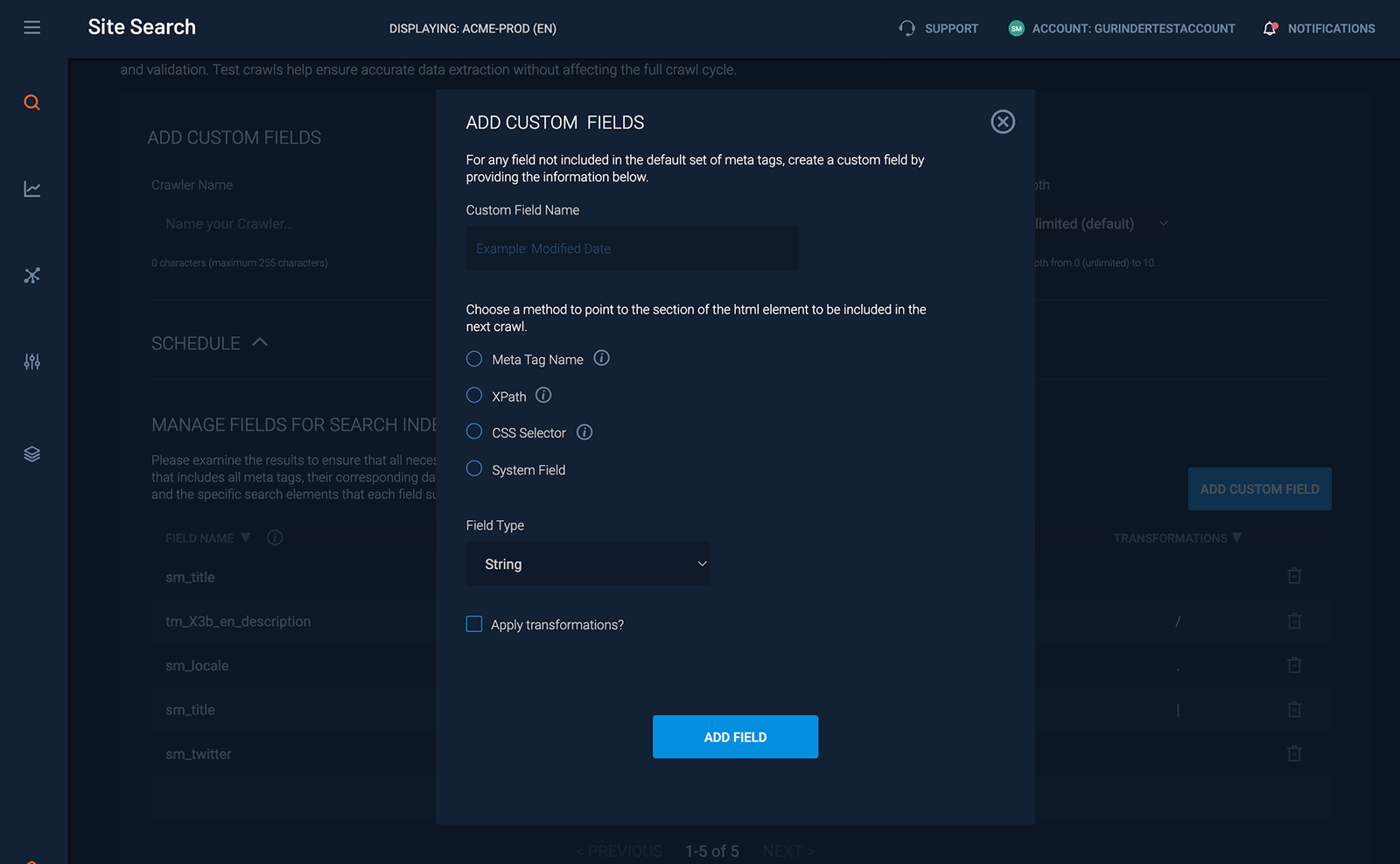
- Crawler management, delete a crawler or remove specific pages so unwanted content never reaches the index.
- Limits & thresholds, cap pages or run-time, with alerts when a crawl exceeds them, protecting system performance.
- Guided first run, a step-by-step setup with inline tooltips, so a non-technical user never needs the docs.
06 / Design
Wireframes to high fidelity
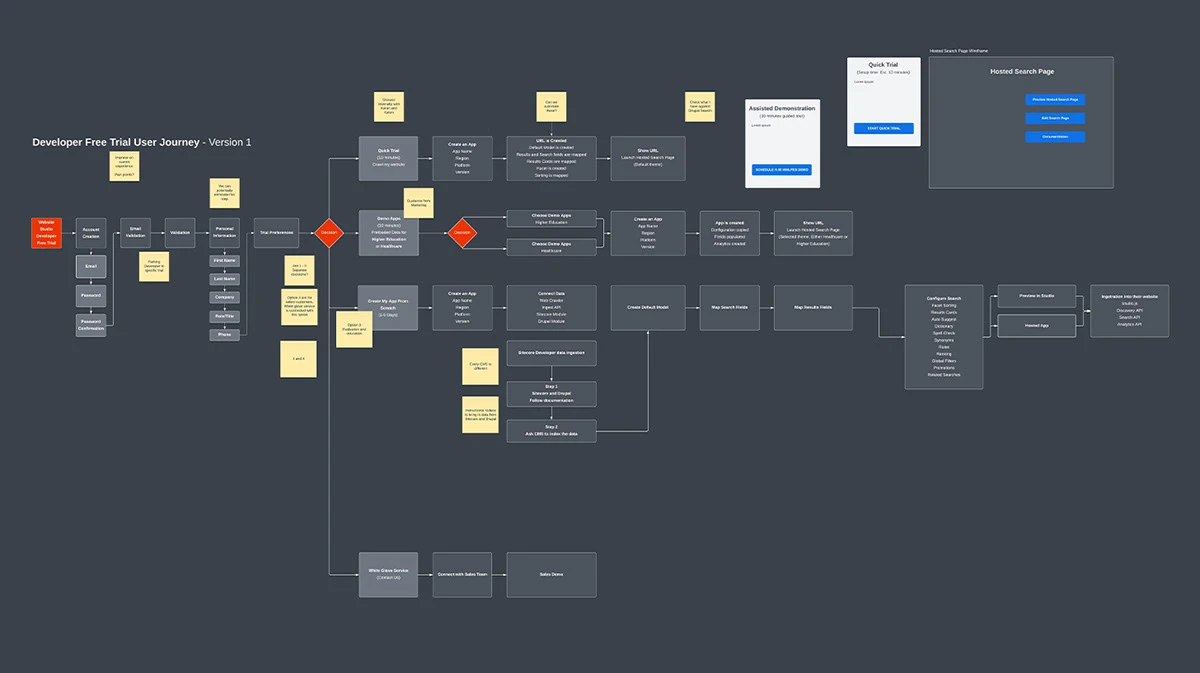
I started in low fidelity to settle structure before style, testing the setup flow, the monitoring view, and error states without the distraction of visual polish. Wireframes let us prototype fast and fold in feedback each cycle; every round tightened the flow toward something a marketer could run alone.
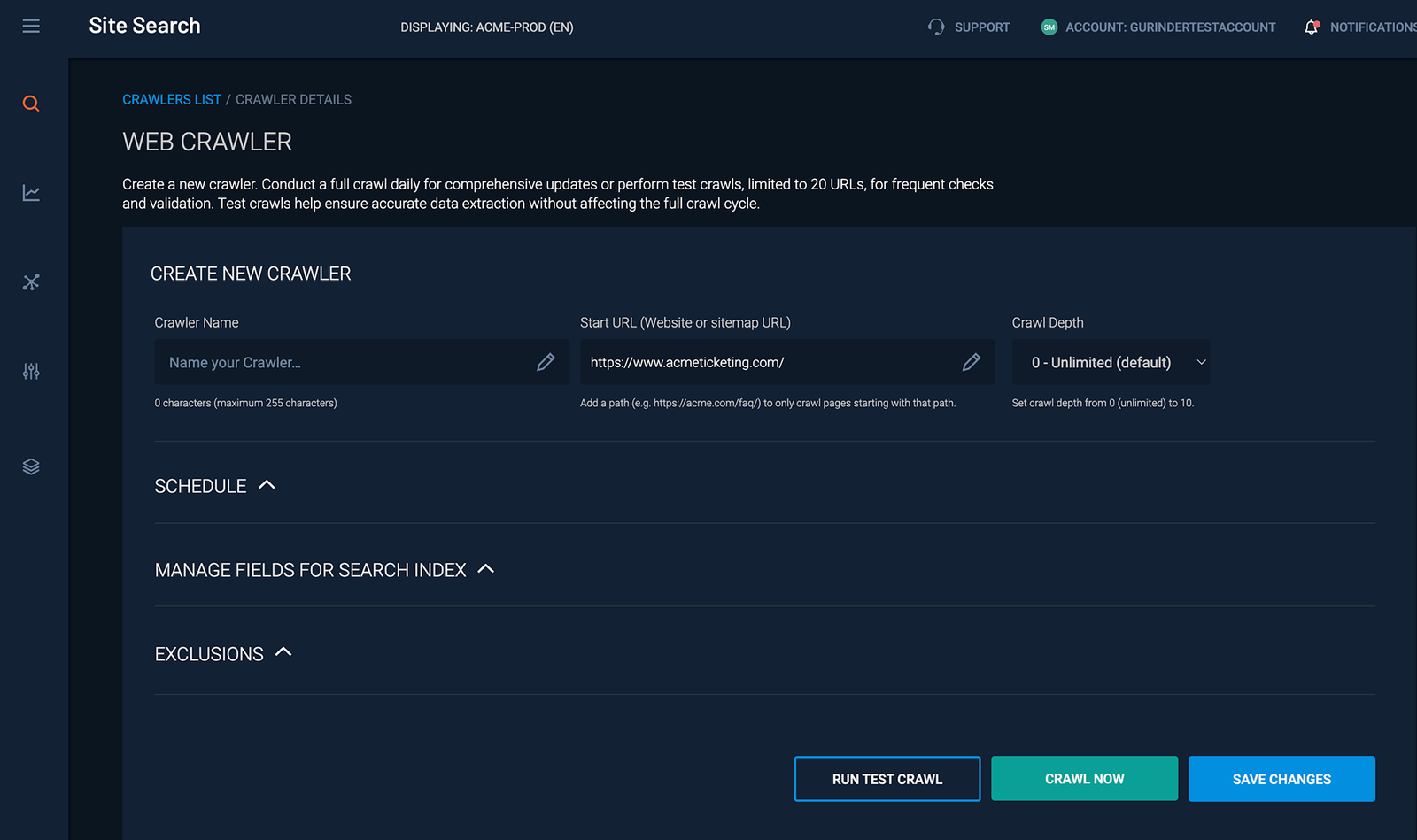
High-fidelity design translated that structure into the Site Search system: clear labeling, a legible real-time status model, and configuration surfaced progressively so first-timers weren't overwhelmed.
07 / Validation
Testing against real tasks
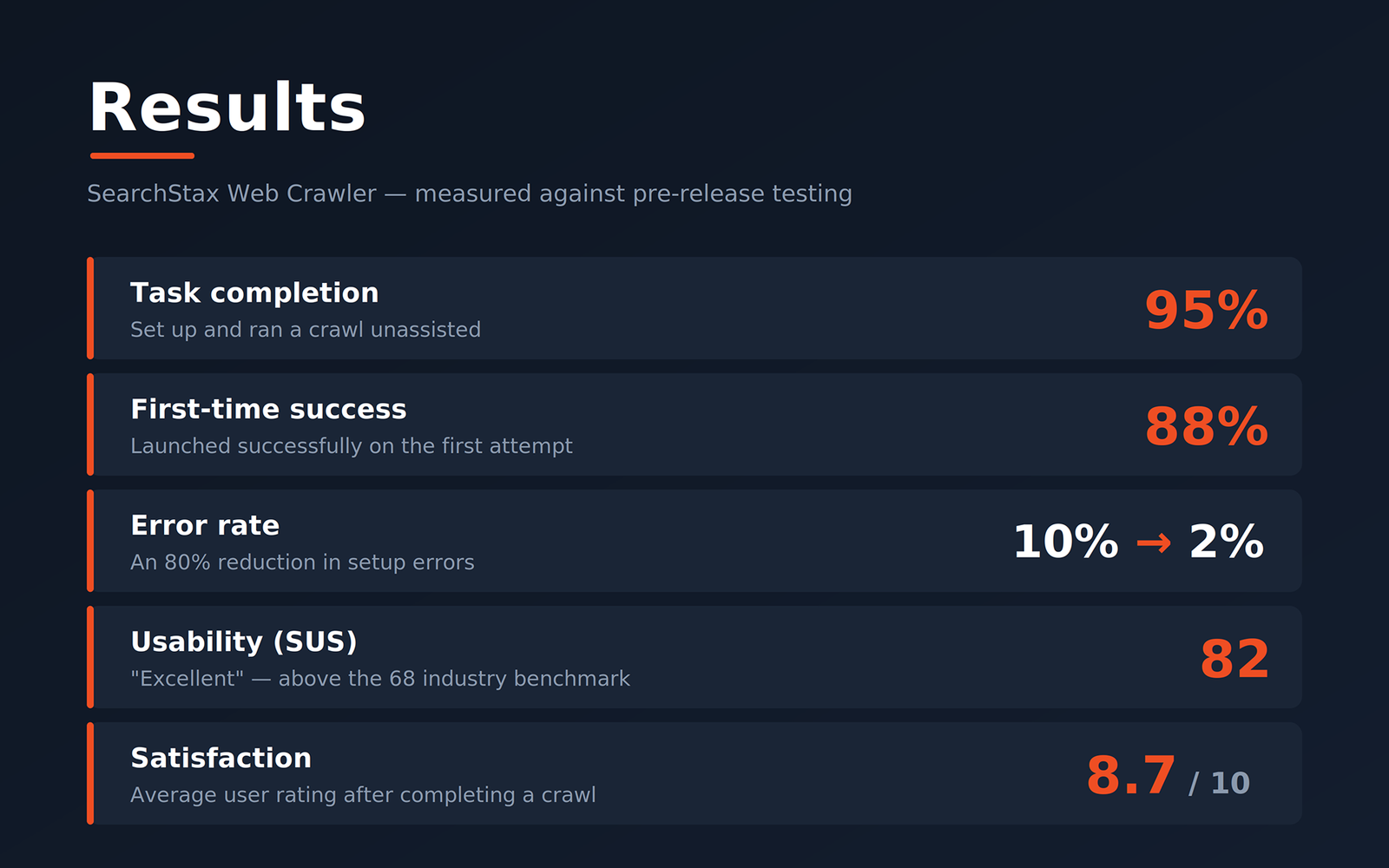
I ran moderated usability sessions against the core job, set up and launch a crawl unassisted, and tracked three KPIs against our earlier baseline tests.
- Task completion, 95% configured and ran a new crawl without help.
- First-time success, 88% completed on their first attempt, no repeats or support.
- Error rate, 2%, down from 10% in early testing; the remaining friction clustered on advanced configuration, which we simplified further.
08 / Outcome
What shipping it changed
The crawler moved data ingestion from a support-gated task to a self-service one. Marketers stopped filing tickets to keep their own search fresh; the Solutions Team stopped hand-configuring crawls that customers were fully capable of owning.
Measured against baseline, setup errors dropped 80%, the feature scored an SUS of 82 (well above the 68 industry benchmark), and satisfaction landed at 8.7/10. More telling than any number: in testing, users reached for the "advanced" settings voluntarily, a sign they trusted the tool enough to explore it.
09 / Reflection
What I took from it
Self-service is really an exercise in earning trust. Users weren't afraid of configuration, they were afraid of kicking off a background process they couldn't observe. Once real-time status made the crawl legible, adoption followed almost on its own.
If I ran it again, I'd invest earlier in the failure states. Our lowest scores came from advanced configuration errors, and I'd rather design the recovery path before the happy path than bolt it on after testing exposed it. That's the instinct I carry into every system since: a feature isn't done when it works, it's done when it's obvious what to do when it doesn't.